How can I make payment against the liability (tax, interest, penalty and others) based on self-ascertainment of tax and on ascertainment of tax by Tax Officer?
To make payment against the liability (tax, interest and penalty) based on self-ascertainment of tax and on ascertainment of tax by Tax Officer, perform following steps:
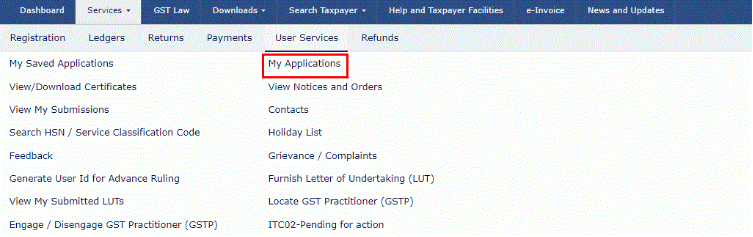
1. Access the www.gst.gov.in URL. The GST Home page is displayed. Login to the GST Portal with valid credentials. Click the Services > User Services > My Applications option.
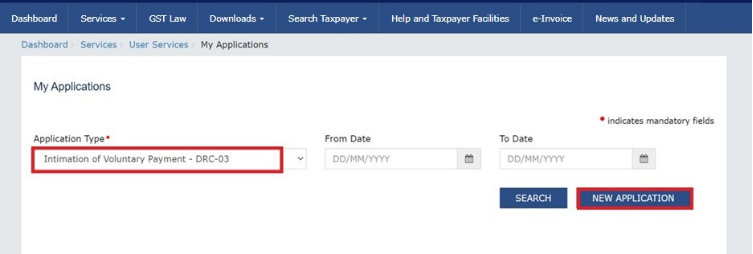
2. Select the Intimation of Voluntary Payment - DRC - 03 from the Application Type drop-down list. Click the NEW APPLICATION button.
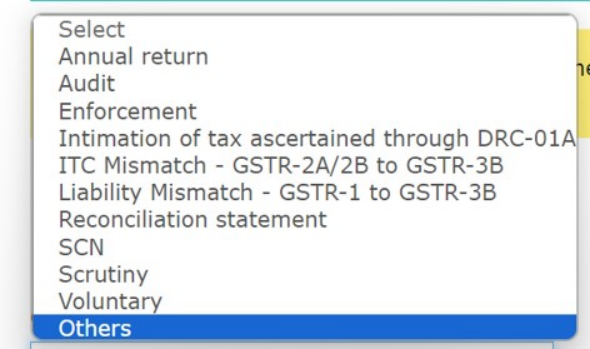
3.The intimation of payment made voluntarily or made against the show cause notice (SCN) or statement, intimation of tax ascertained through DRC-01A page is displayed. The following option are available in drop down for selection under Cause of Payment box:
Annual return, Audit , Enforcement, ITC Mismatch -GSTR-2A/2B to GSTR-3B, Liability Mismatch -GSTR-1 to GSTR-3B , Reconciliation statement, SCN, Scrutiny, Voluntary & Others.
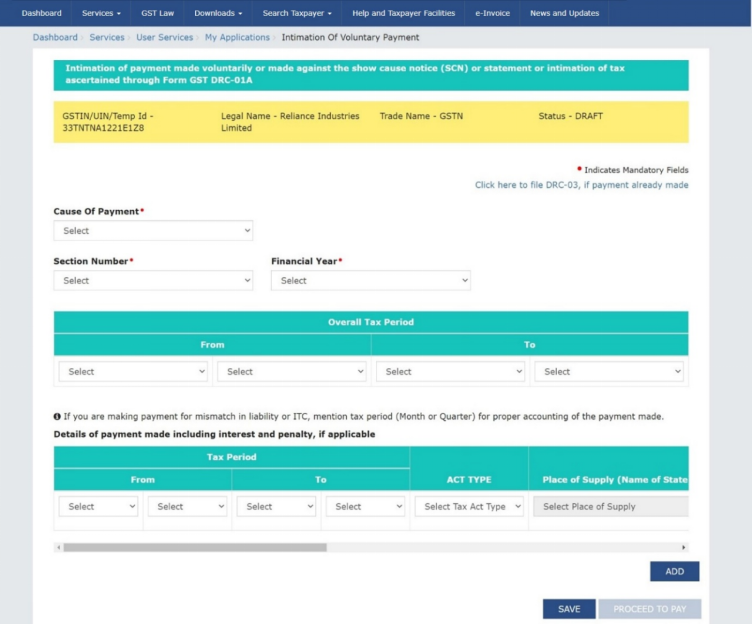
Note: Intimation of voluntary payment can be saved at any stage of completion for a maximum time period of 15 days. If the same is not filed within 15 days, the saved draft will be purged from the GST database. To view your saved application, navigate to Services>User Services>My Saved Applications option.
4. Select the Cause of Payment from the drop-down list.
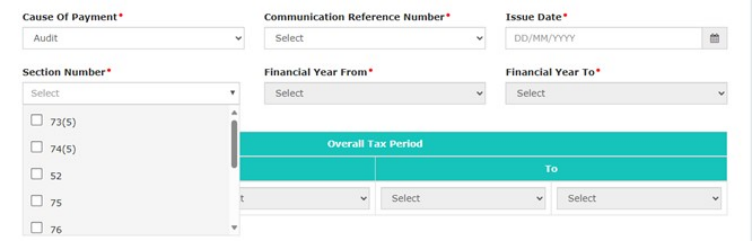
4.1 In case of Audit a. Select Audit in Cause Of Payment filed and select Communication Reference Number from the list of reference numbers of all ADT-01 and ADT-03 communications issued against the taxpayer. Issue Date, Financial Year From and Financial Year To field will get auto-populated.
b. Select Section Number from the drop-down list.
4.2 In case of Enforcement a. Select Proceeding Reference Number from the drop-down list of case IDs of all enforcement cases created against taxpayer and Date of Creation will be auto-populated.
b. Select Section Number, Financial Year From and Financial Year To from the drop-down list.

Note: System will display case ID of enforcement for all non-transit cases on Proceeding Reference Number drop-down list only if all of below conditions are satisfied:
1. Either Inspection Report or Panchnama is uploaded on the system in response to INS-01 issued by BO officer in that Case ID.
2. BO Officer has issued INS-02 order from the system in that Case ID.
4.3 In Case of Voluntary Payment
Payment date is auto-populated and cannot be edited.

4.4 In Case of SCN
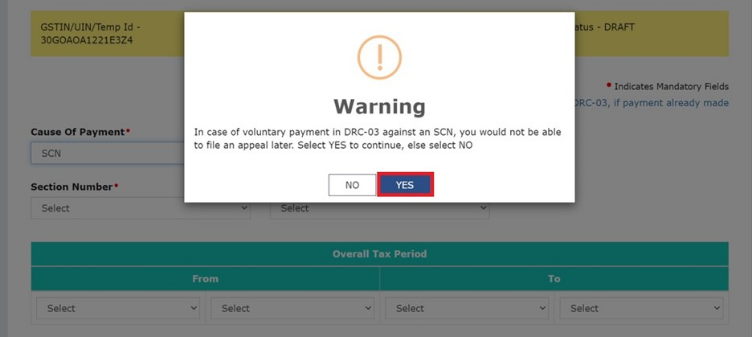
If taxpayer selects SCN as Cause of Payment, a warning message will be displayed, click YES button. Note: If Taxpayer selects No button, same DRC-03 screen will be visible.
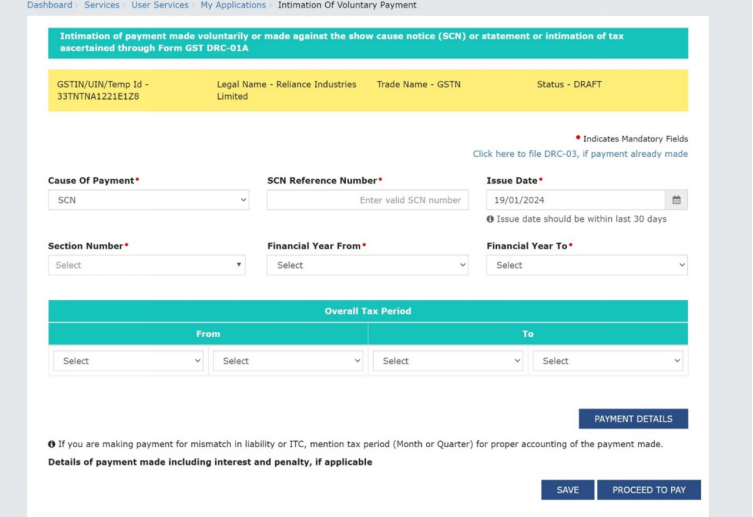
The Intimation of Voluntary Payment page will be displayed.
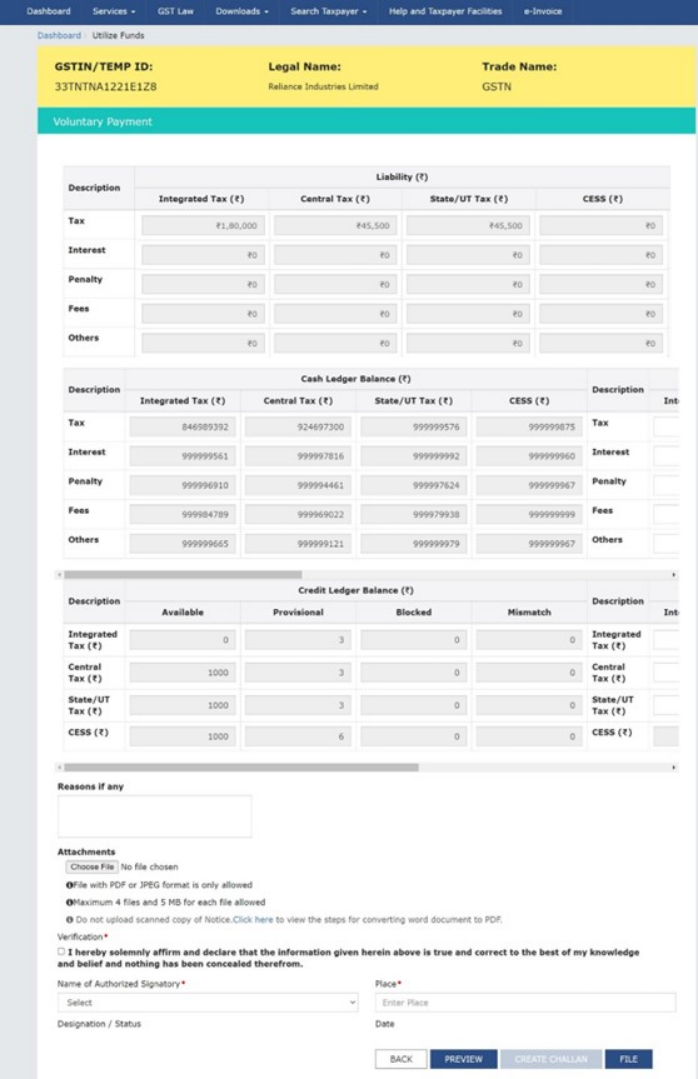
The Voluntary Payment page is displayed.
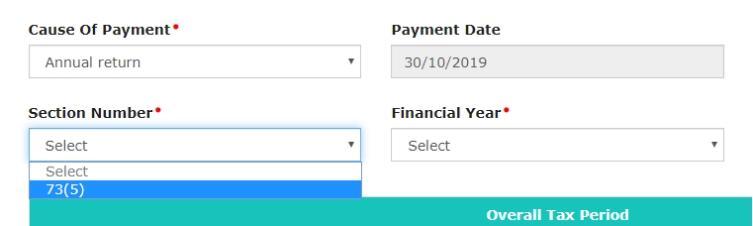
4.5 In Case of Annual Return
4.6 In Case of Reconciliation Statement
a. Select Cause of Payment as reconciliation statement from the drop-down.
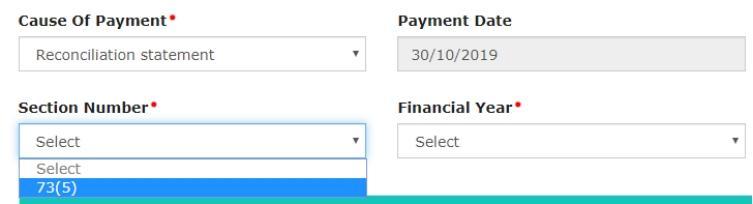
4.7 In Case of Intimation of Tax ascertained through DRC-01A a. Select Intimation Reference Number from the drop-down.
b. Select the Issue Date using the calendar.

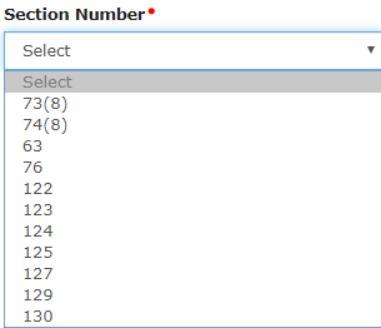
5. Select the Section Number from the drop-down list.
6. Select the Financial Year and From date and To Date for Overall tax Period from the drop-down list.
7. Enter the Details of payment made including interest, penalty and others.
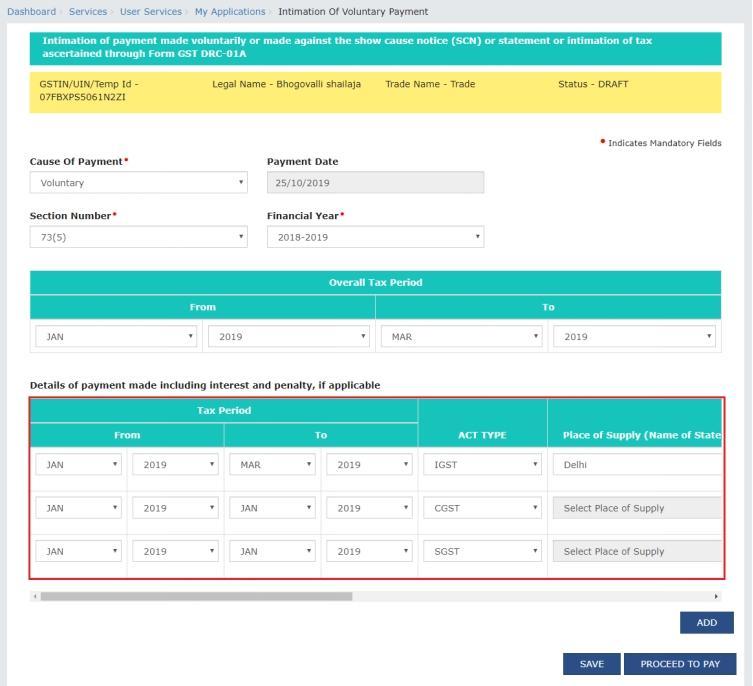
8. Use the scroll bar to move to the right to enter more details.
Note: You can click the DELETE or ADD button to delete or add more payment details.
9. Click the PROCEED TO PAY button.
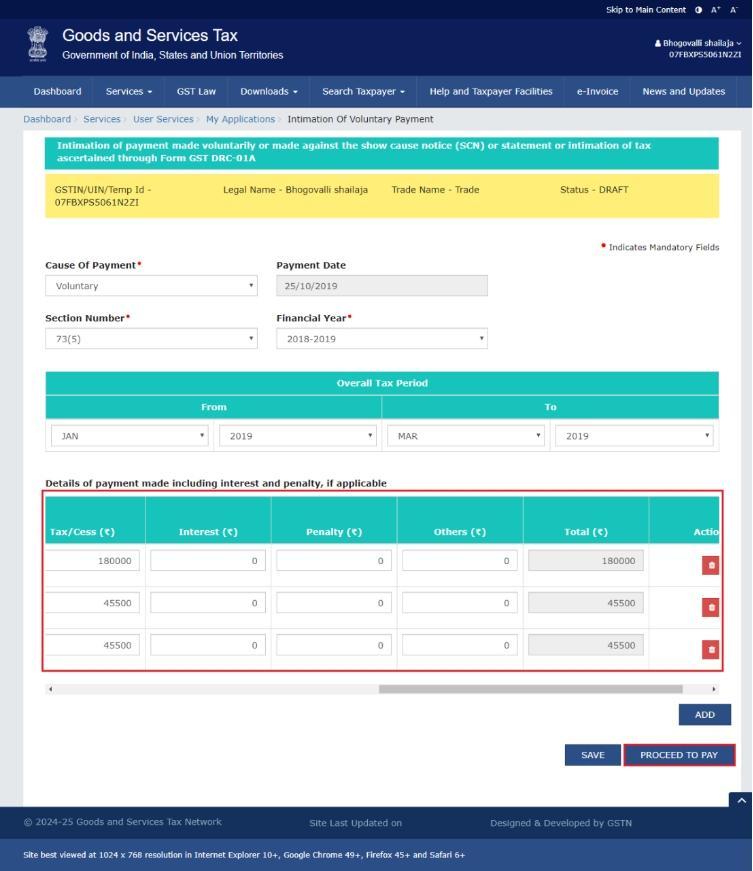
The Voluntary Payment page is displayed.
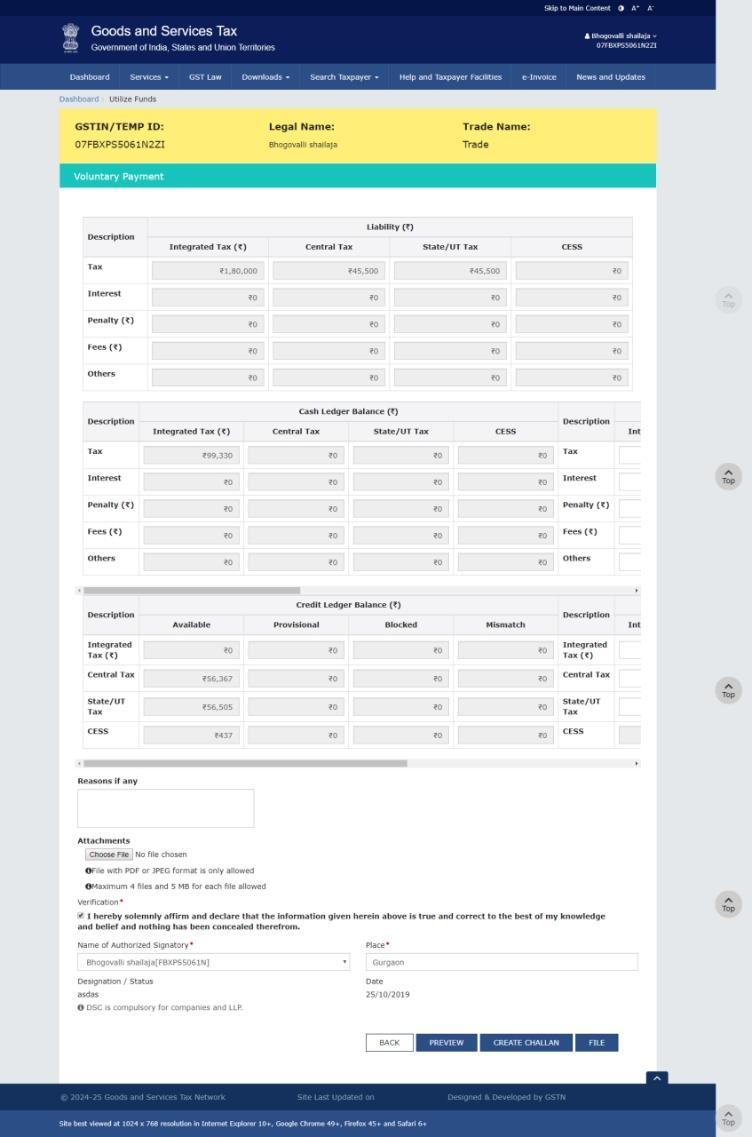
9.1 Note: If the total amount of fee entered by you under CGST is not equal to total amount of fee entered under SGST/UTGST head, then following error message will be displayed on the screen.
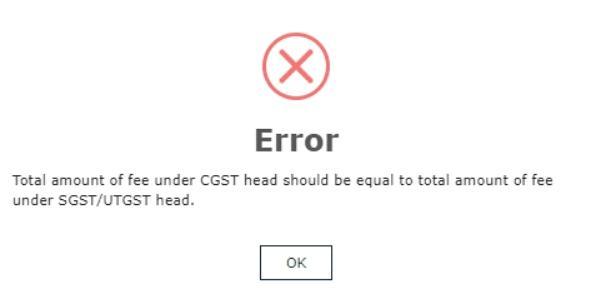
9.2 Note: You will also see the above error message in the other part of the Cause of Payment section which is: Information of Tax ascertained through DRC-01A and Scrutiny.
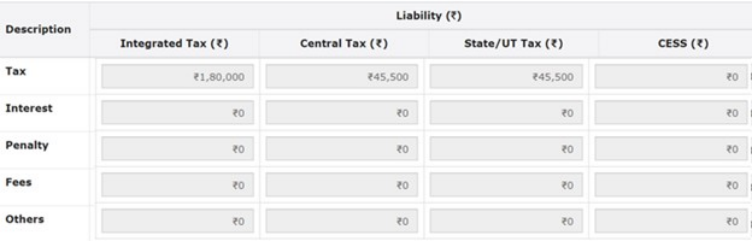
10.1 Liability Details
Liability details are displayed as shown in below table.
10.2 Cash Ledger Balance
The cash available as on date are shown in below table.
Note: Interest and penalty amount shall be paid out of cash ledger only.
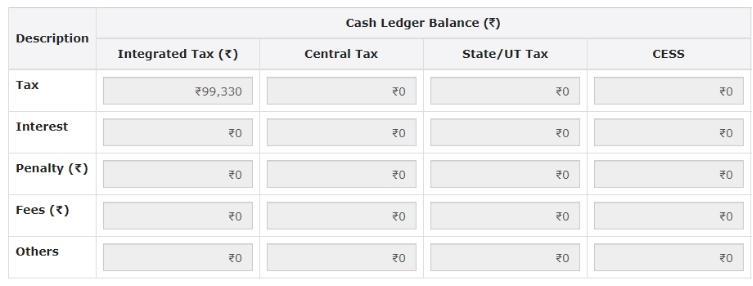
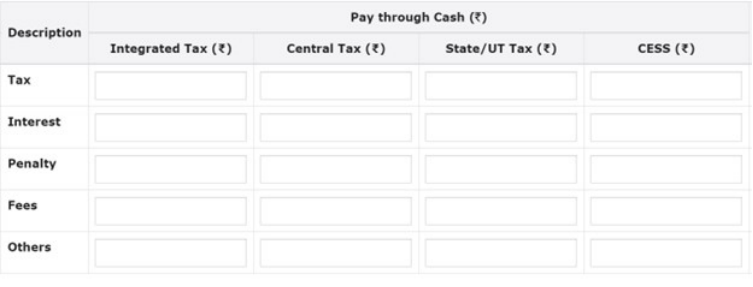
10.2.1 Use the scroll bar to move to the right to enter the amount to be paid through cash against the liability.
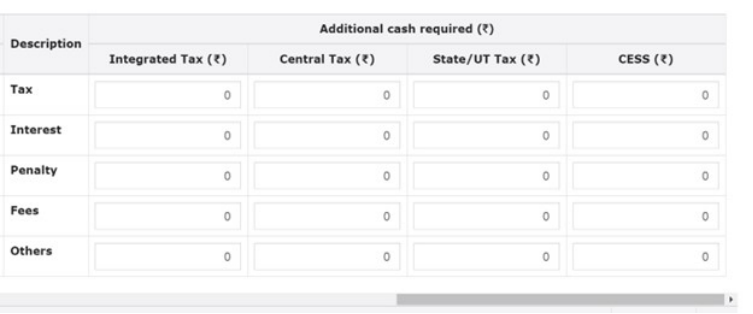
10.2.2 Use the scroll bar to move to the right to enter the amount to be paid through cash by creating challan against the liability, if required. Create challan will be enable only if any additional cash is required to be paid.
10.3 Credit Ledger Balance
The ITC available as on date are shown in below table.
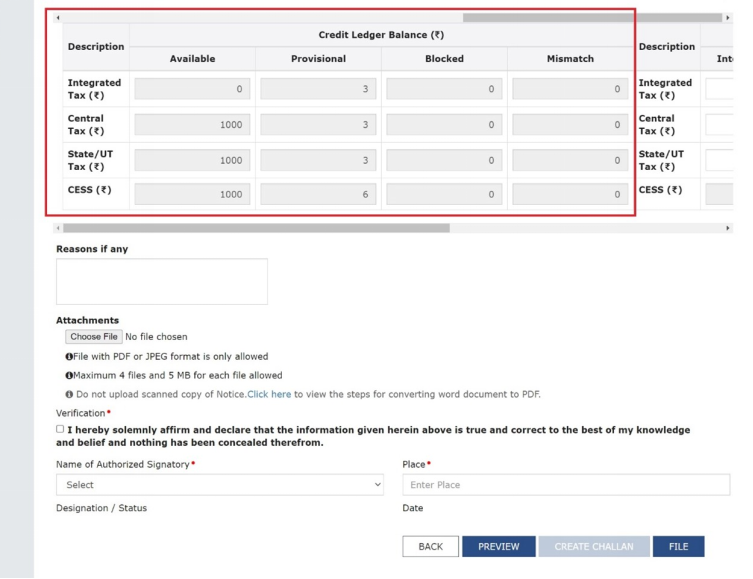
10.3.1 Use the scroll bar to move to the right to enter the amount to be paid through ITC against the liability.
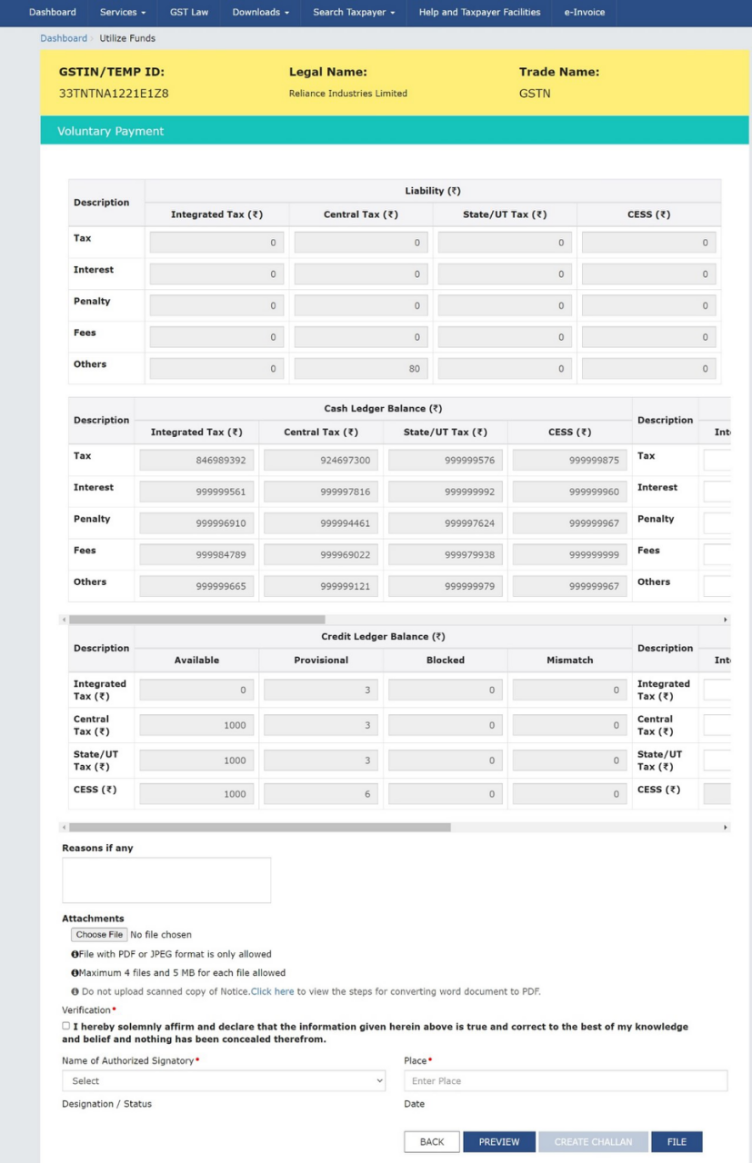
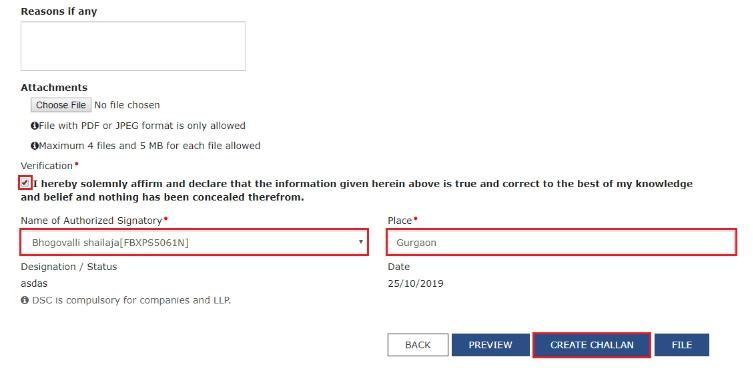
11. Select the Verification checkbox and enter the Name of Authorized Signatory and Place. Click the CREATE CHALLAN button.
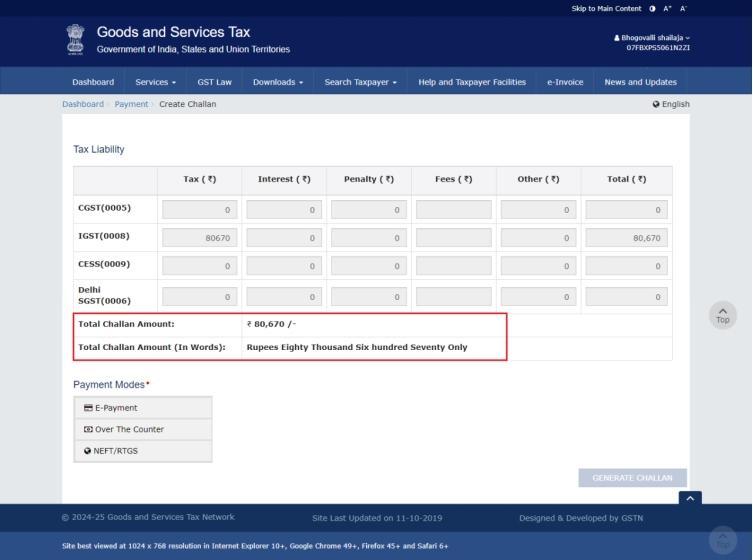
11.1 The Create Challan page is displayed. In the Tax Liability details grid, the Total Challan Amount field and Total Challan Amount (In Words) fields are auto-populated with total amount of payment to be made. You cannot edit this amount.
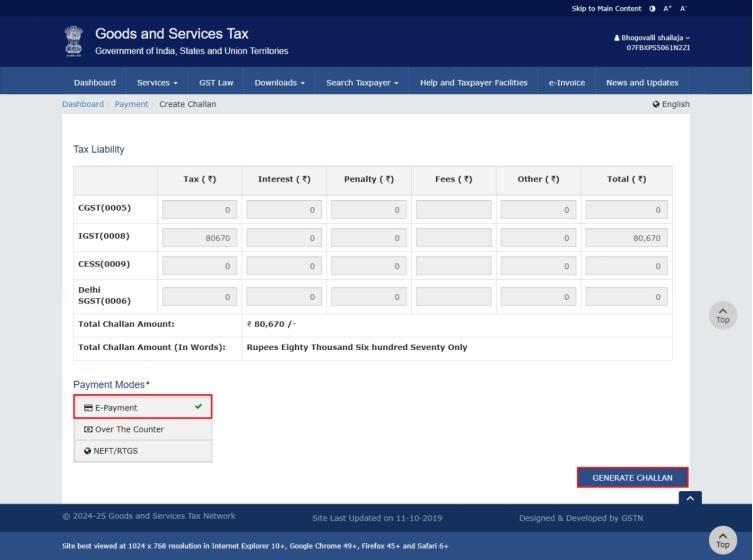
11.2. Select the Payment Modes as E-Payment/ Over the Counter/ NEFT/RTGS. Click the GENERATE CHALLAN button.
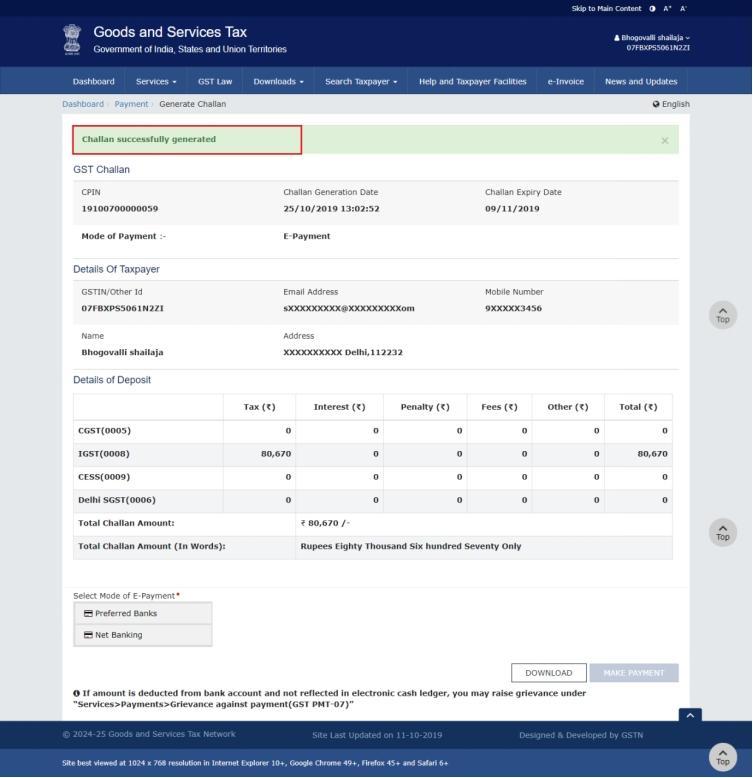
11.3. The Challan is generated.
Note:
In case of Net Banking: You will be directed to the Net Banking page of the selected Bank. The payment amount is shown at the Bank’s website.
In case of successful payment, you will be re-directed to the GST Portal where the transaction status will be displayed.
In case of Over the Counter:
Take a print out of the Challan and visit the selected Bank. Pay using Cash/ Cheque/ Demand Draft within the Challan’s validity period. Status of the payment will be updated on the GST Portal after confirmation from the Bank.
In case of NEFT/ RTGS:
Take a print out of the Challan and visit the selected Bank. Mandate form will be generated simultaneously. Pay using Cheque or through your account with the selected Bank/ Branch. You can also pay using the account debit facility. The transaction will be processed by the Bank and RBI shall confirm the same within <2 hours>. Status of the payment will be updated on the GST Portal after confirmation from the Bank.
Clickto refer the FAQs and User Manual on Making Payment.
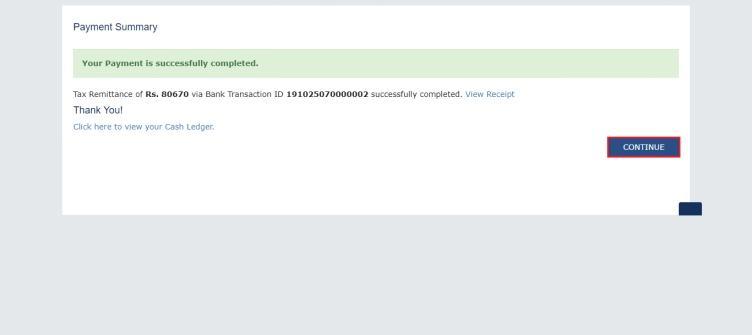
12. A payment successfully completed message is displayed. The Bank Transaction ID is displayed on the screen. Click CONTINUE.
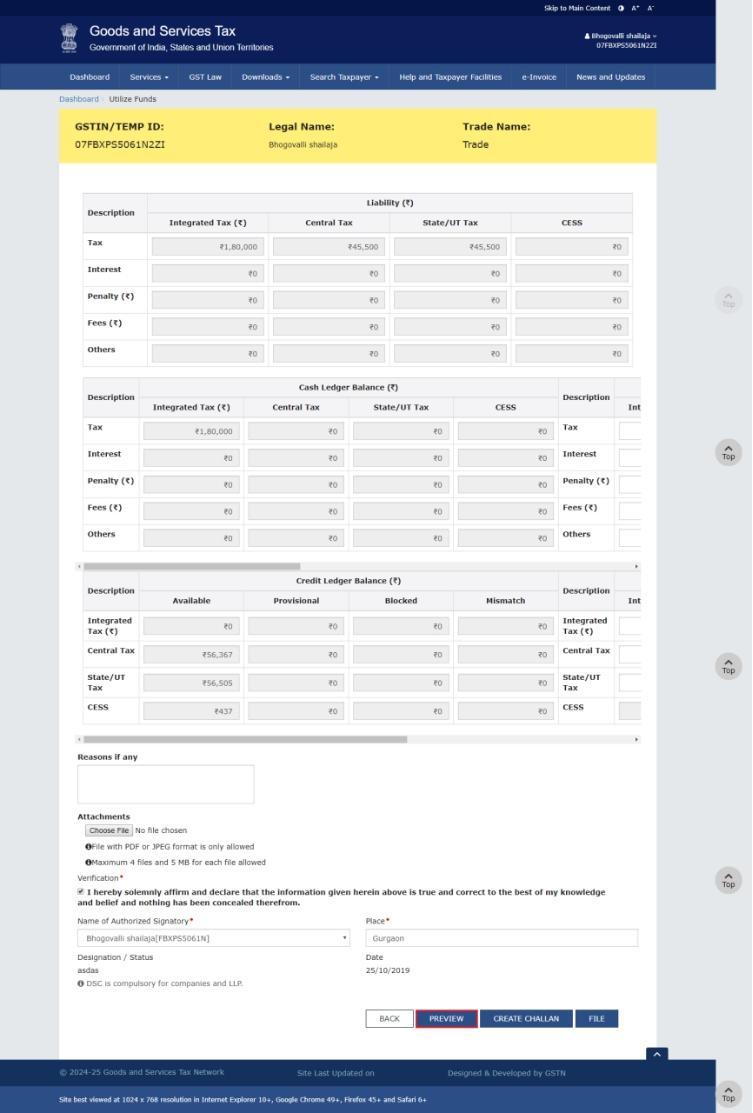
13. Click the PREVIEW button to preview the draft in PDF format.
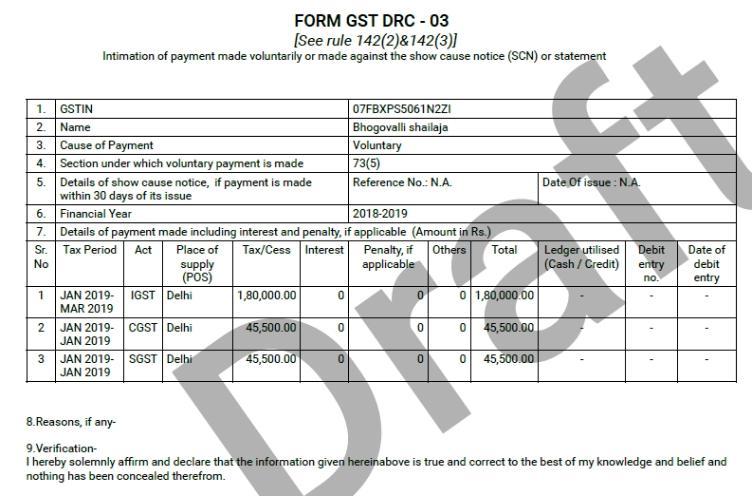
14. The draft statement in PDF format is downloaded on your computer. You can open the file to view details.
15. Before filing, In the Reasons if any field, enter the reasons.
16. Click the Choose File button to upload any document.
Note:
- File with PDF or JPEG format is only allowed
- Maximum 4 files and 5 MB for each file allowed
17/. Select the Verification checkbox.
18. Select the Name of Authorized Signatory from the drop-down list.
19. In the Place field, enter the place where form is filled.
20. Click the FILE button.
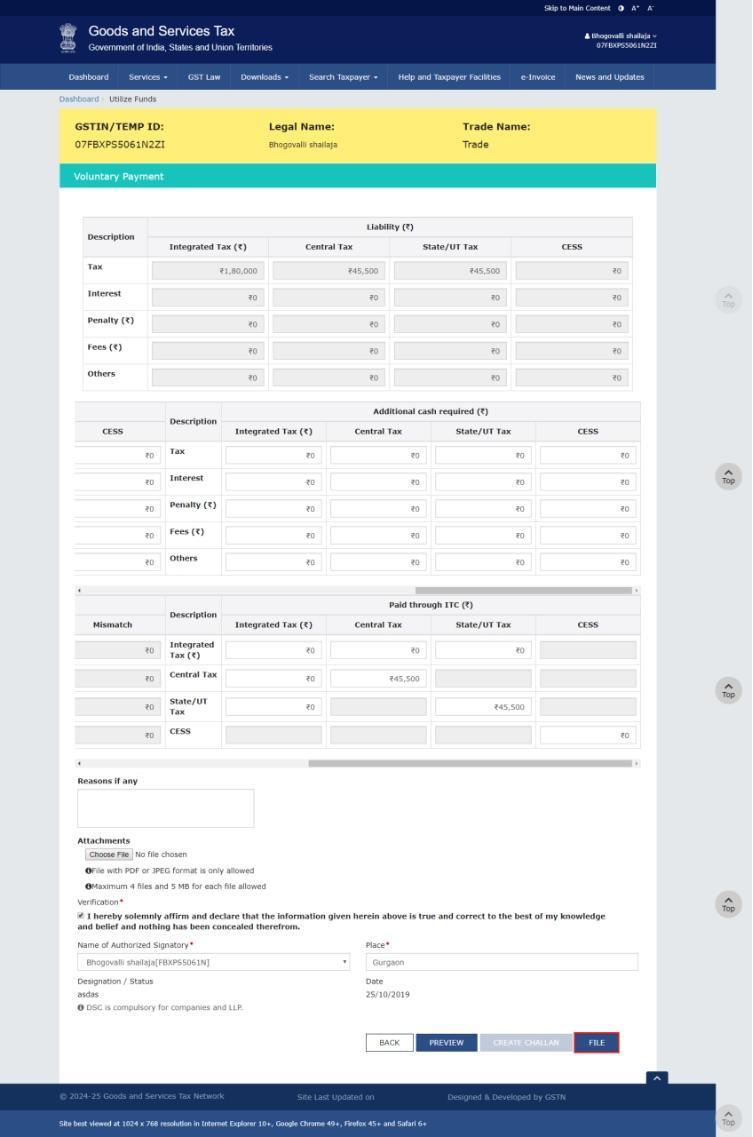
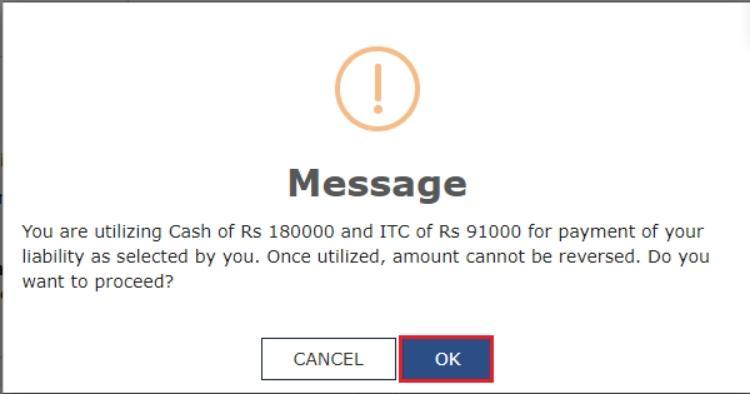
A confirmation message is displayed. Click OK to continue.
21. Click the FILE WITH DSC or FILE WITH EVC button
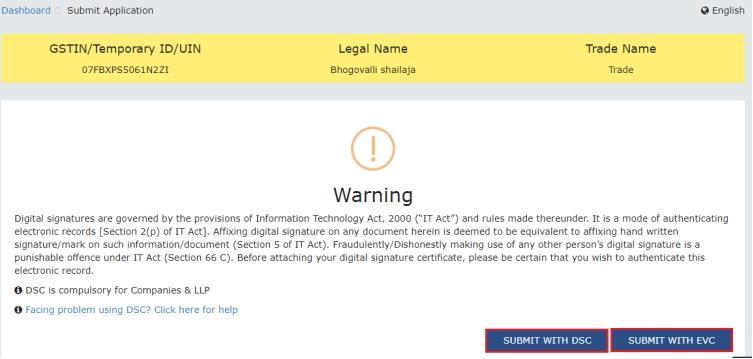
22.1 FILE WITH DSC:
a. Select the certificate and click the SIGN button.
22.2 FILE WITH EVC:
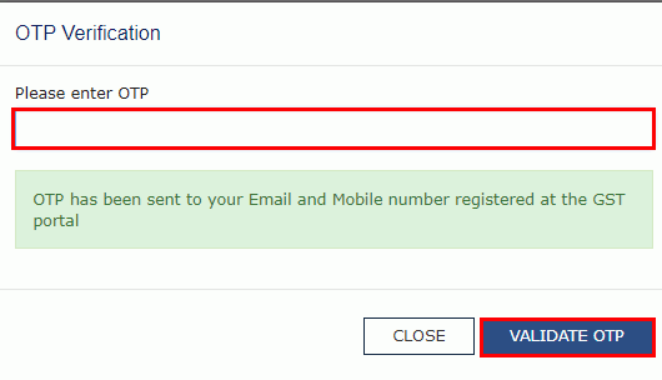
a. Enter the OTP sent on the e-mail and mobile phone number of the Authorized Signatory registered at the GST Portal, and click the VALIDATE OTP button.
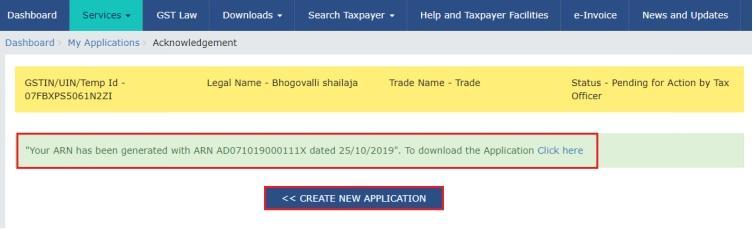
23. The success message is displayed. ARN is generated and displayed. SMS and email will be sent to the taxpayer intimating ARN and successful filing of the Form.
Note:
- To download the submitted application, click the Click here link.
- You can click the CREATE NEW APPLICATION button to create a new application for making payment.
Form GST DRC-03A
Form GST DRC-03A taxpayers can specify the reference number of the demand for which payment has been made using form DRC-03.
To file Form GST DRC-03A taxpayer can perform following steps:
1. Access the www.gst.gov.in URL. The GST Home page is displayed. Login to the GST Portal with valid credentials. Click the Services > User Services > My Applications option.
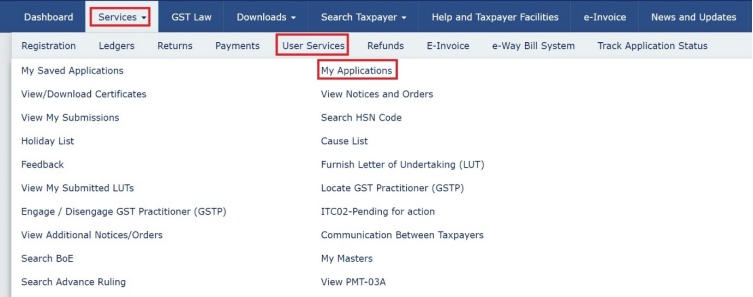
2. Select the Adjustment of Payment made through DRC 03 – Form GST DRC 03A from the Application Type drop-down list. Click the NEW APPLICATION button.
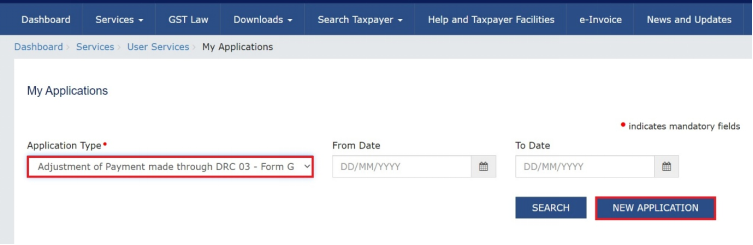
3. Form GST DRC 03A-Adjustment of Payment made through DRC 03 will be displayed on the screen.
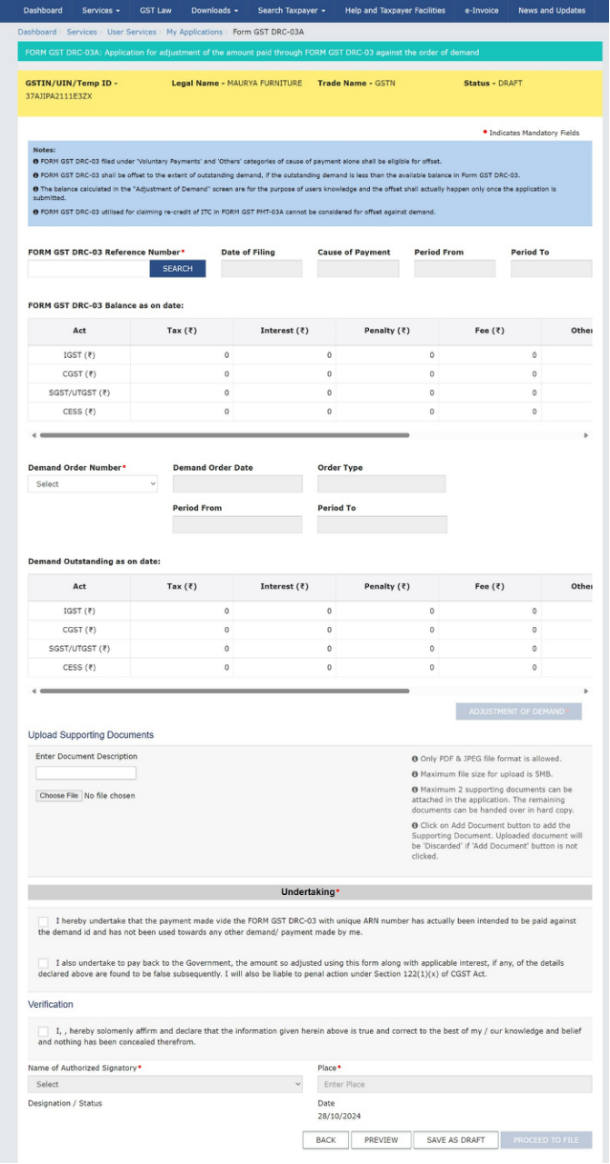
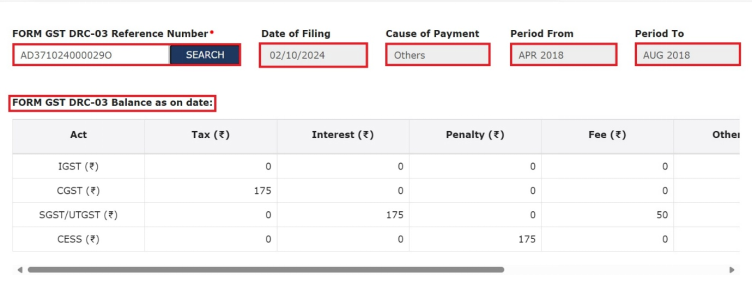
3.a. Enter Form GST DRC-03 Reference Number, Date of Filing, Cause of Payment, Period From, Period To and Form GST DRC-03 balance as on date field will be auto-populated.
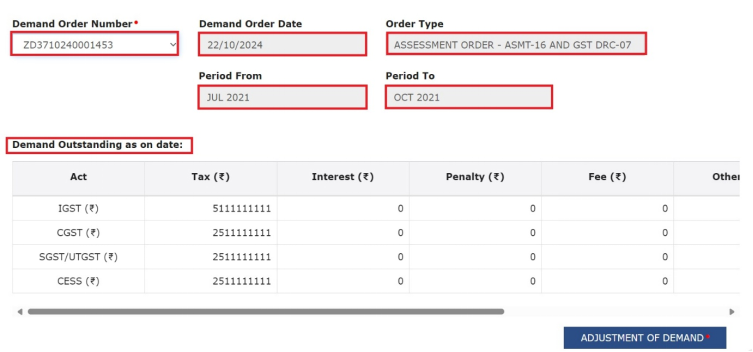
3.b. Select Demand Order Number from the respective drop-down. Demand Order Date, Order Type, Period From, Period To and Demand Outstanding as on date field will be auto-populated.
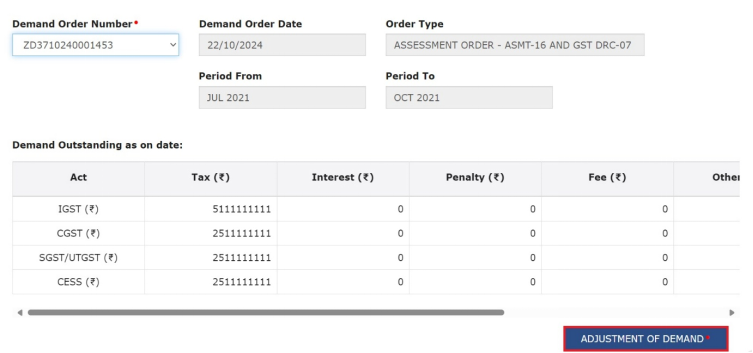
3.c. After selecting Demand Order Number field Adjustment of Demand button will be enabled. Click on Adjustment of Demand button.
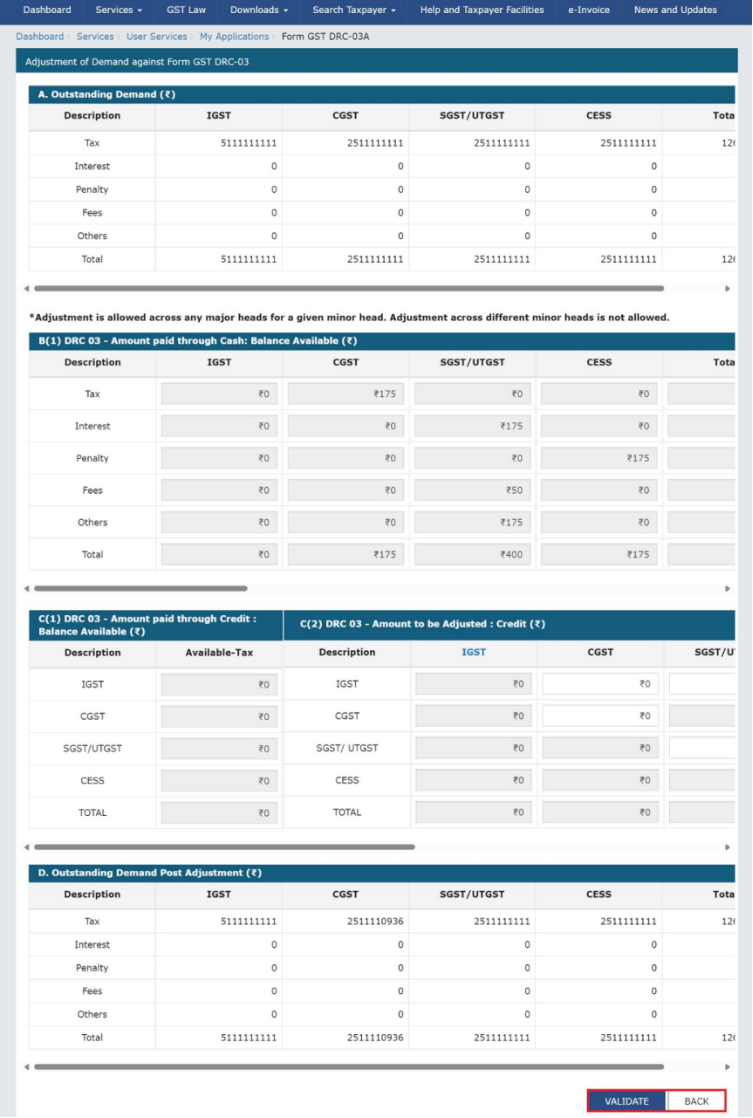
A separate page will open for the adjustments. There are 8 tables available in this page.
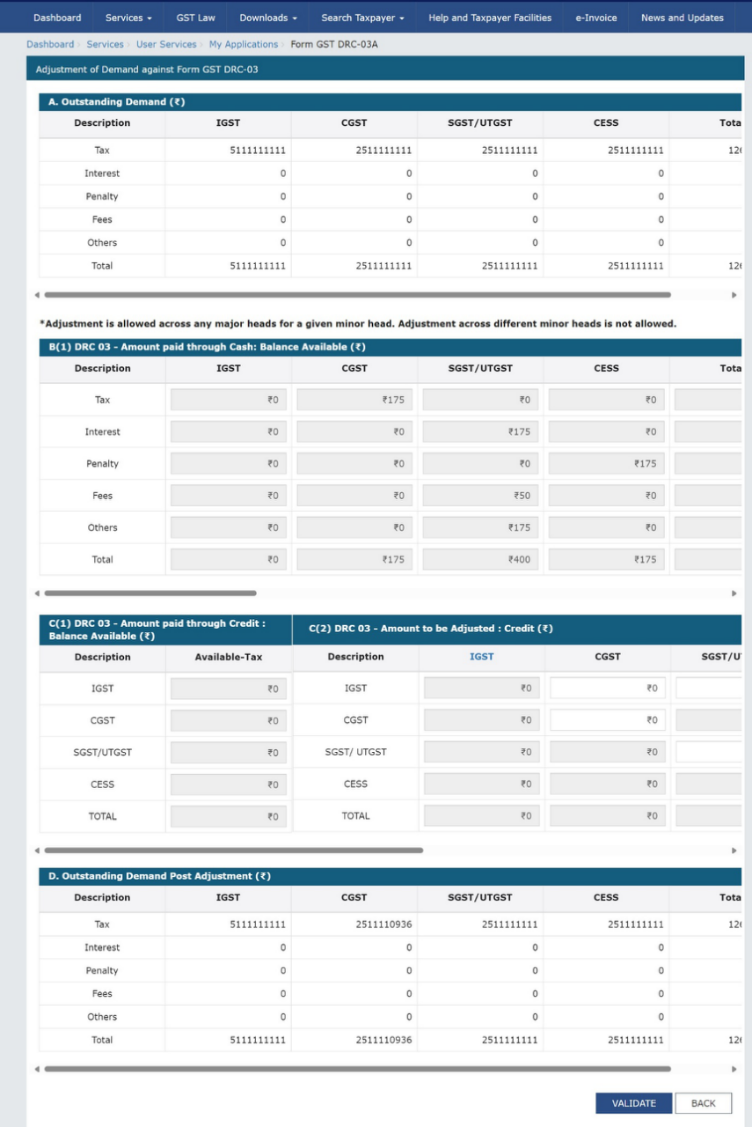
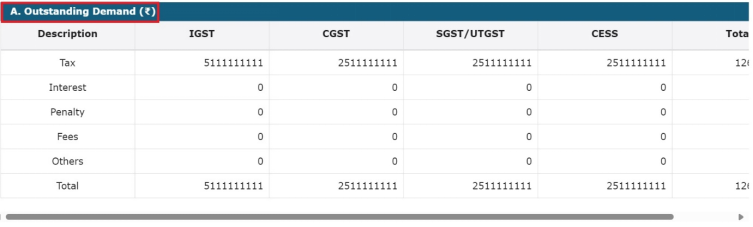
(i). A. Outstanding Demand: In this table outstanding balance of demand will be auto populated under the respective heads.
Note: The amount paid/available in DRC 03 is displayed in Table B and Table C. The amount paid using Cash ledger in DRC 03 will be displayed in Table B whereas the amount paid using Credit ledger will be displayed in Table C. Using the amount available in Table B and Table C, the taxpayer can adjust the amount the paid in DRC 03 against an outstanding demand.
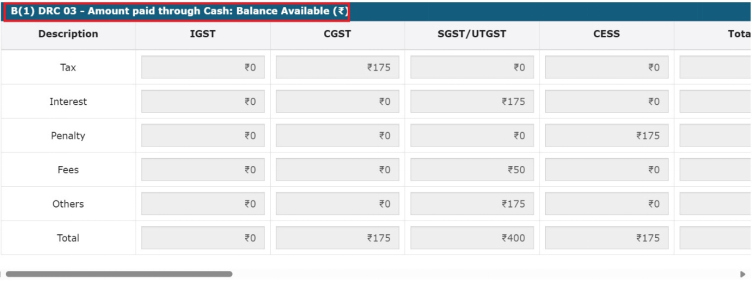
(ii). B(1) DRC 03 – Amount paid through Cash: Balance Available: In this table, the amount available in DRC-03 will be auto populated under the respective heads.
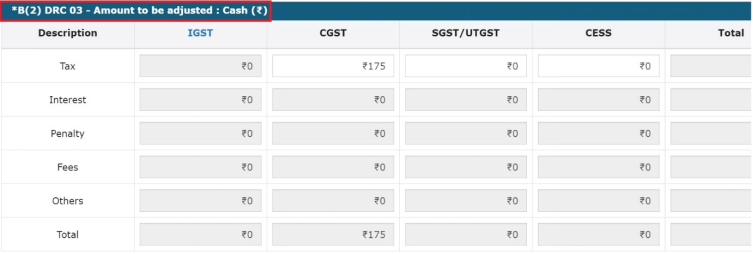
(iii). B2: DRC 03 - Amount to be adjusted: Cash: Taxpayer can enter the amount in CGST, SGST/UTGST, CESS field and IGST field will be auto populated.
1. CGST, SGST/UTGST, CESS fields will be auto populated except IGST head, with lower of Outstanding Demand amount or DRC -03 available cash balance in that respective major minor head, provided there is a demand payable for that major/minor head.
2. If there is no outstanding demand in any of the major - minor head, then even if there is a DRC -03 balance against a major/ minor head combination, 0 will be auto-populated in CGST, SGST/UTGST, CESS fields and these field will not be editable.
3. If there is no DRC-03 balance in any of the major - minor head, but there is an Outstanding Demand amount then in CGST, SGST/UTGST, CESS fields, 0 will be auto populated and taxpayer can edit these fields .
4. Adjustment can be done across any major head (IGST, CGST, SGST/UTGST, CESS) but will be restricted to the same minor head(Tax, Interest, Penalty, Fee, Others).
5. Total amount that can be adjusted can be lower of Outstanding Demand amount or DRC-03 available balance.
6. Total amount that can be adjusted cannot exceed to Outstanding Demand amount.
7. Multiple Financial Year DRC-03 can be utilized against Single Financial Year Demand id and vice-versa.
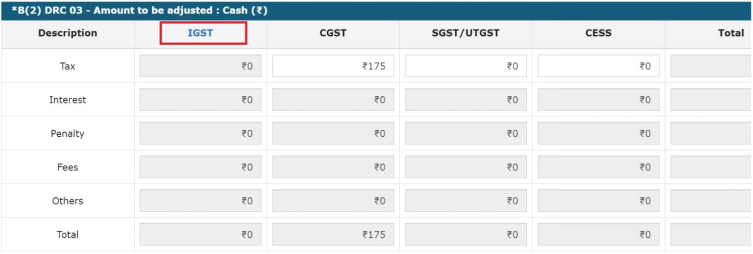
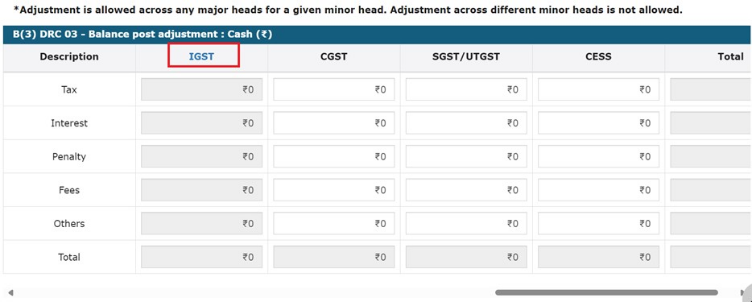
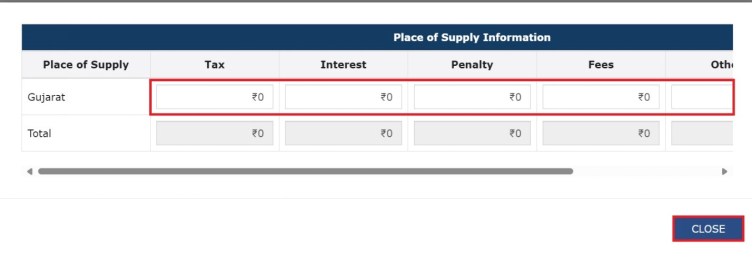
8. On clicking of IGST hyperlink Place Of Supply table will be displayed on the screen.
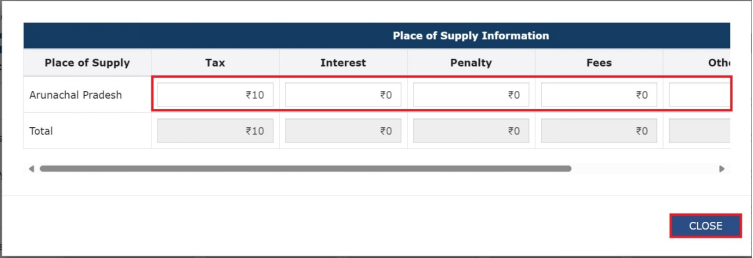
In Place of Supply Information enter amount in Tax, Interest, Penalty, Fess, Others fields. Click on CLOSE button to close the table.
(iv)B3: DRC-03: Balance post adjustment-Cash: Taxpayer can enter all remaining balances under CGST, SGST/UTGST, CESS field ensuring that the aggregate of these amount does not exceed the total amount auto-populated in Total (Total of B2- Total of B1) head.
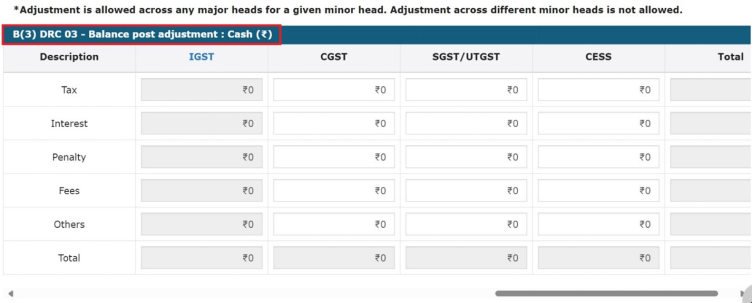
Note: Click on IGST hyperlink to view Place of Supply Information table.
Following table will be displayed on the screen. Enter amount in Tax, Interest, Penalty, Fees, Others field and Total field will be auto populated. Click on CLOSE button to close the table.
(v). C(1). DRC 03 – Amount paid through Credit: Balance Available: In this table DRC-03 amount paid through credit will be auto populated in the respective head.
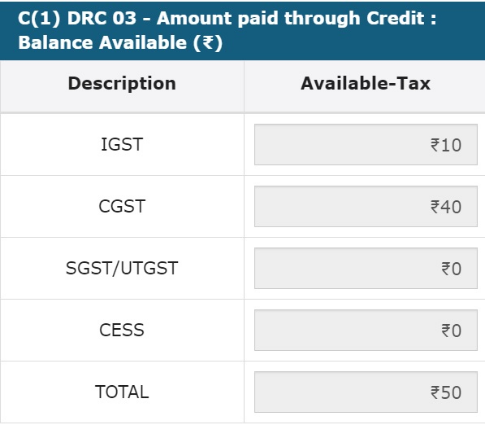
(vi)C(2). DRC 03 – Amount to be Adjusted: Credit: Balance of demand post adjustment of cash in table B2 will be auto populated in the respective major head to the extend of the balance available in credit ledger which is table C1. Taxpayer can enter the amount in CGST, SGST/UTGST, CESS field and IGST field will be auto populated.
Balance of demand post adjustment of cash in table B2 will be auto populated in the respective major head to the extent of the balance available in credit ledger which is table C1.
Taxpayer can follow these rules (Similar to Section 49A of CGST act) for utilization of credit balance:
• IGST will be first utilized towards payment of IGST liability and the amount remaining, if any, may be utilized towards the payment of CGST, SGST/UTGST in that order.
• CGST will be first utilized towards payment of CGST liability and the amount remaining, if any, may be utilized towards the payment of IGST.
• SGST will be first utilized towards payment of SGST and the amount remaining, if any, may be utilized towards payment of IGST if no CGST credit is available
• UTGST will be first utilized towards payment of UTGST and the amount remaining, if any, may be utilized towards payment of IGST if no CGST credit is available
• CGST will not be utilized towards payment of SGST/UTGST
• SGST/UTGST will not be utilized towards payment of CGST.
• Any amount of credit available in CGST/SGST may be utilized for payment of IGST related liabilities if no liabilities are pending to be paid off under the respective heads. (Pending liabilities here refers to the balance after considering any amount paid through cash as well.)
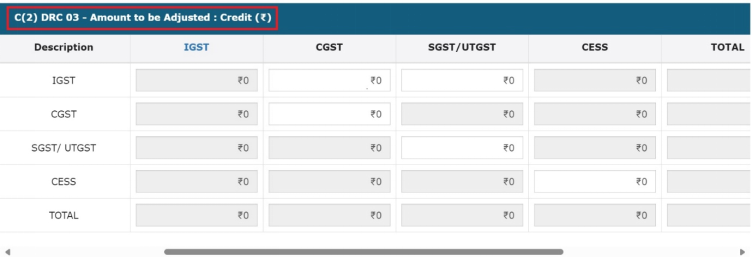
Note: On clicking of IGST hyperlink, Point Of Supply table will be displayed on the screen and will be reflected as per Demand not as per the DRC-03.
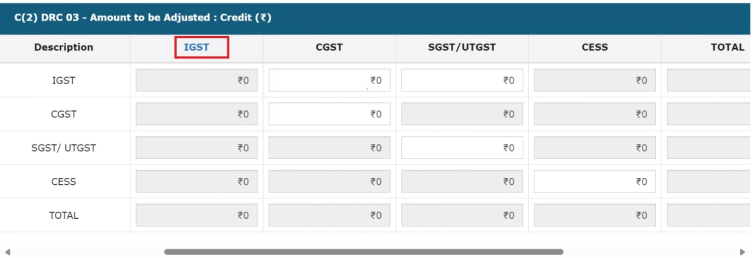
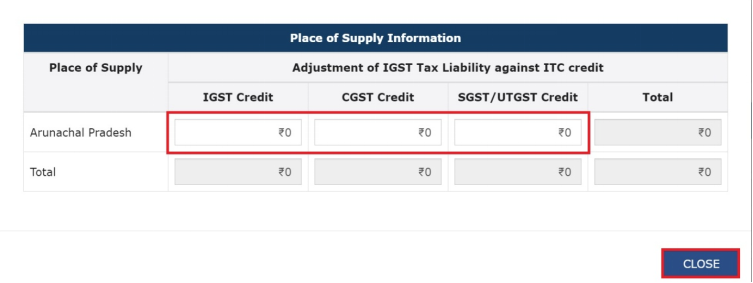
Following table will be displayed on the screen. Enter amount in IGST Credit, CGST Credit, SGST/UTGST Credit fields. Click on CLOSE button to close the table.
(vii)C(3). DRC 03 –Balance post Adjustment: Credit: In this table credit balance remaining post adjustment will be auto populated.
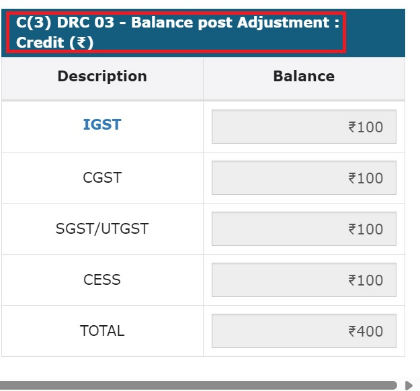
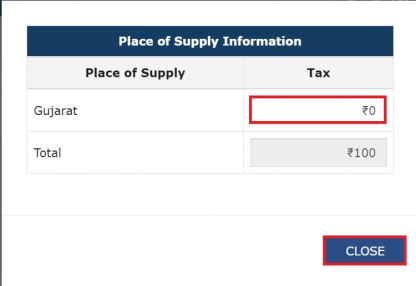
Note: On clicking of IGST hyperlink Place Of Supply table will be displayed on the screen.
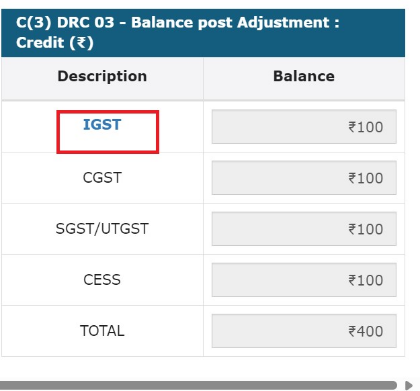
On clicking of IGST hyperlink following table will be displayed on the screen. Enter amount in Tax head and Total field will be auto populated. Click on CLOSE button to close the table.
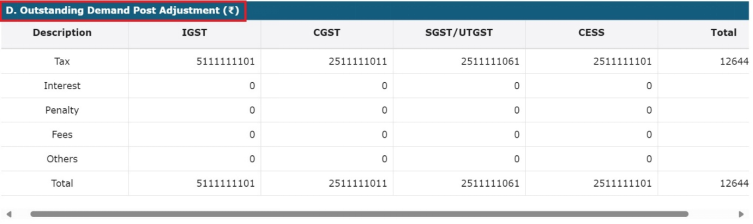
(vii)D. Outstanding Demand post Adjustment: In this table, amount in Tax, Interest, Penalty, Fess, Others will be auto populated.
After entering all the fields click on VALIDATE button to validate the sheet or click on BACK button to go back.
On successful validation a message will be displayed on the screen. Click on BACK button.
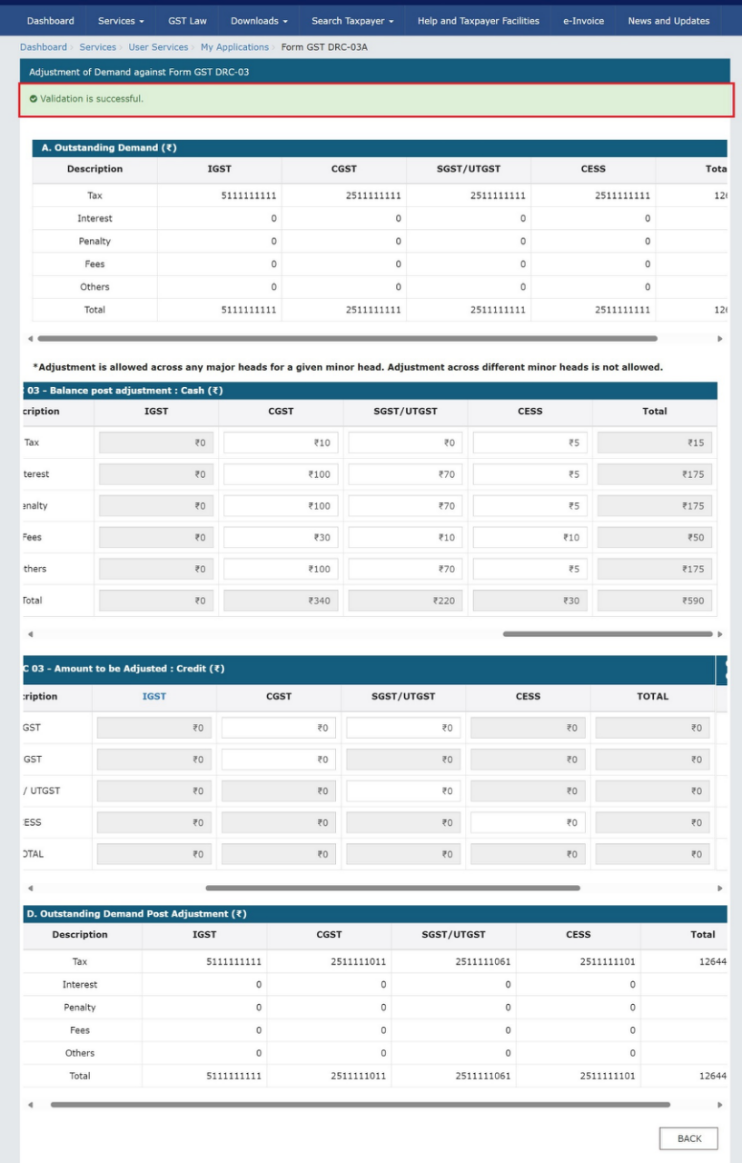
.
By clicking BACK button taxpayer will be redirected to Form GST DRC 03A-Adjustment of Payment made through DRC 03 page. (Case Details page).
3.d. Upload Supporting Documents if you want by clicking on Choose File option. You can upload maximum 2 documents.
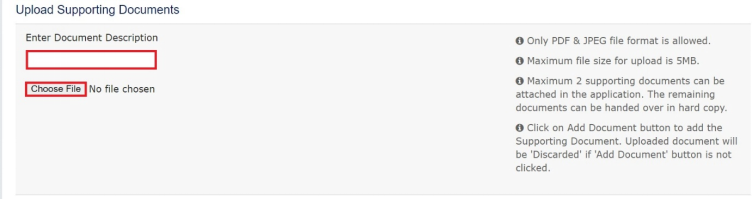
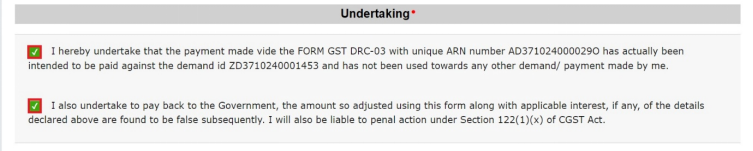
3.e. Click on both Undertaking checkboxes.
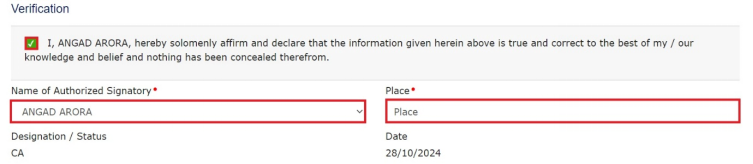
3.f. Click on Verification checkbox and select Name Of Authorised Signatory from the respective drop-down list. Enter Place in respective field.
3.g. Click on BACK button to go back.
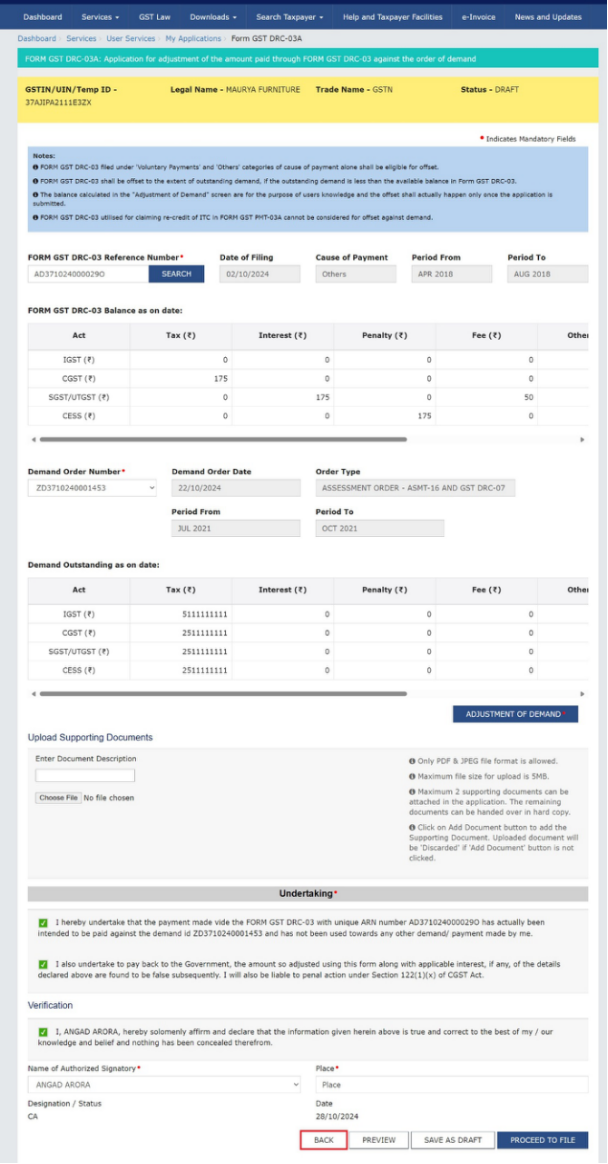
3.h. Click on PREVIEW button to view the preview of form.
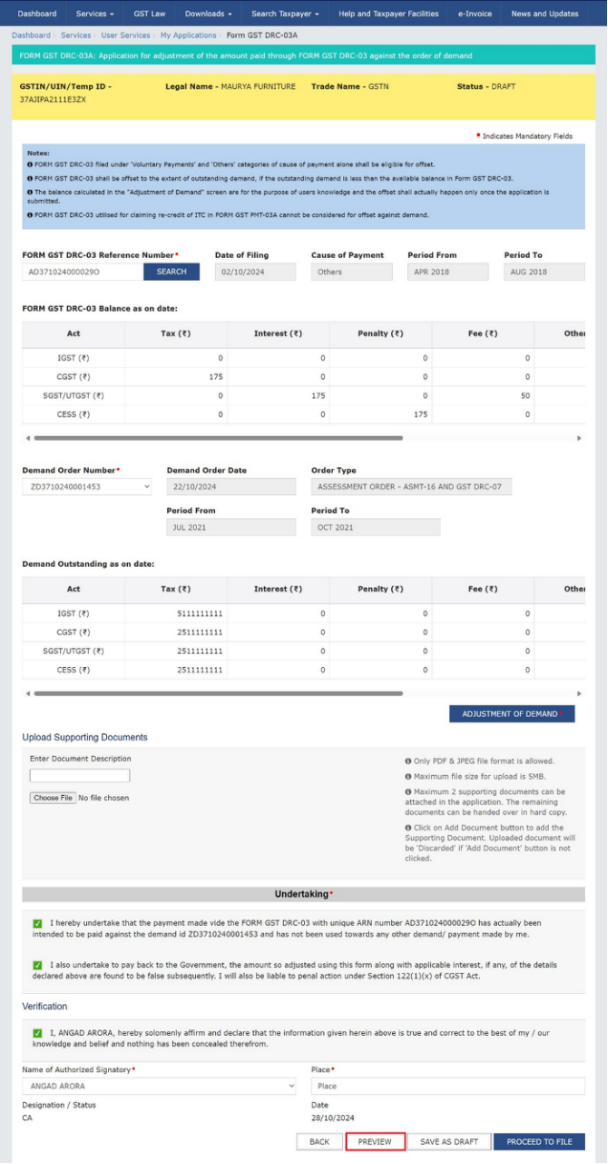
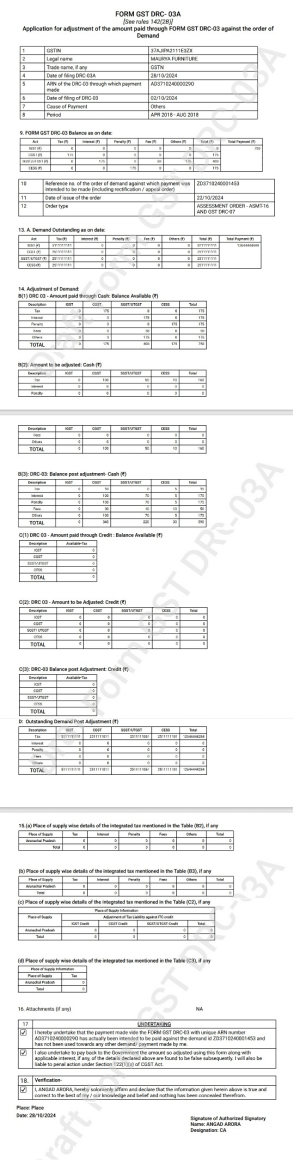
Following PDF will be downloaded on clicking of PREVIEW button.
3.i. Click on SAVE AS DRAFT button to save the form for later.
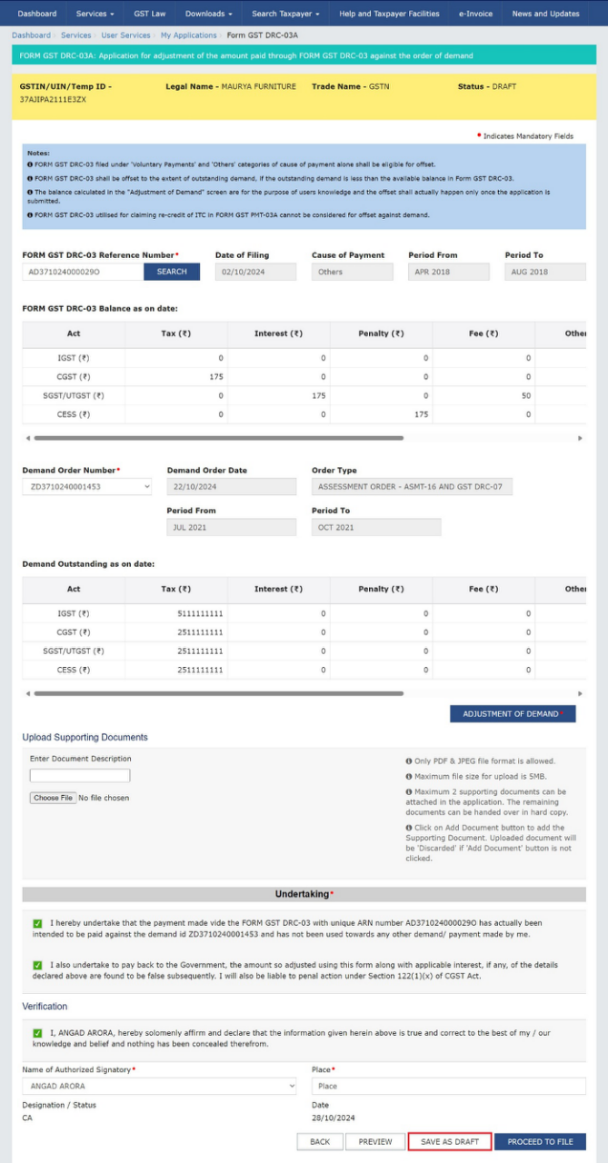
Note: Saved form can be open by navigating to Services>> User Services>> My Saved Applications.
3.j. Click on PROCEED TO FILE button to file the form.
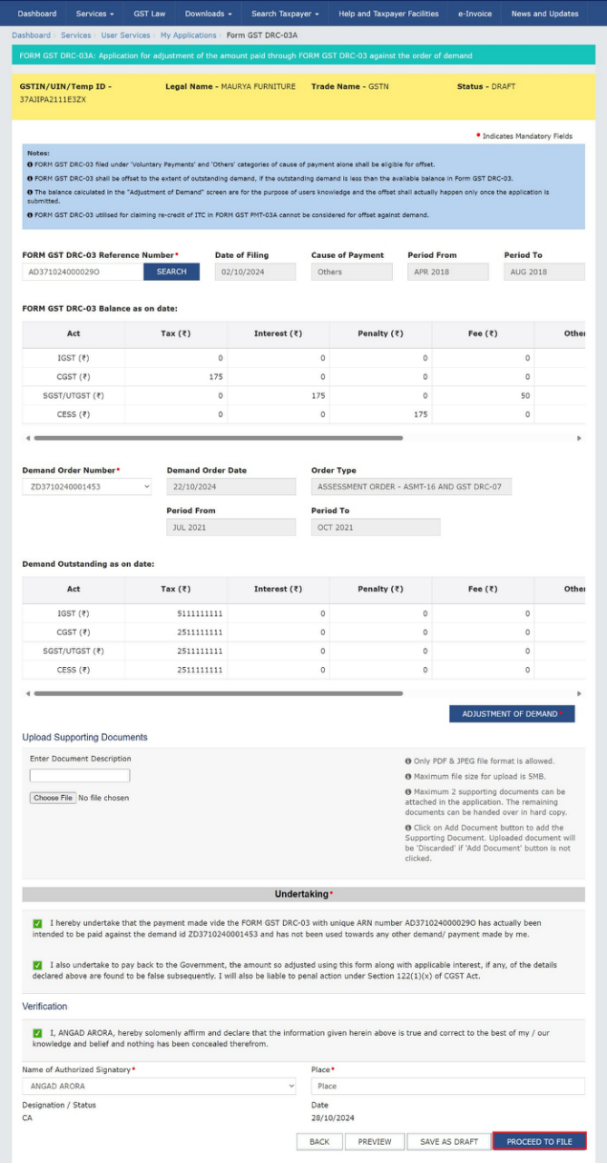
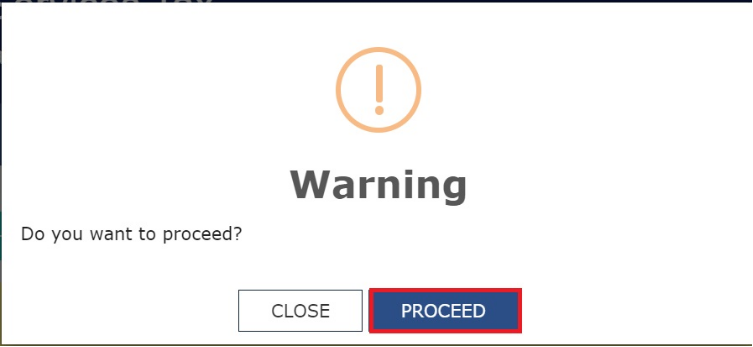
A popup message will be displayed on the screen. Click on PROCEED button to proceed further.
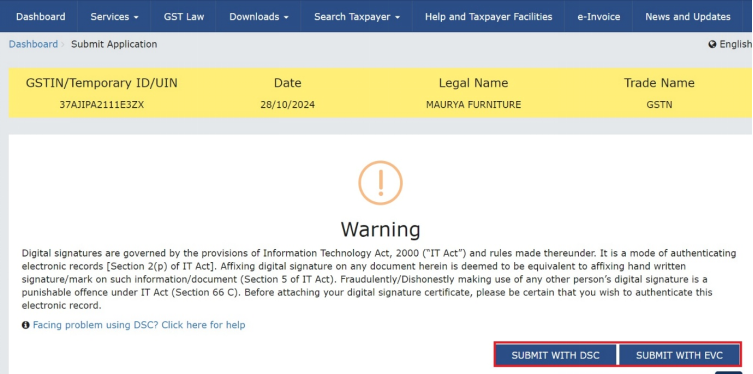
A Warning message will be displayed on the screen. Click on SUBMIT WITH DSC or SUBMIT WITH EVC button.
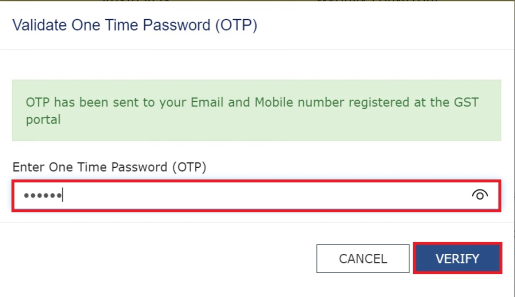
In case of SUBMIT WITH DSC affix your sign and in case of SUBMIT WITH EVC enter OTP and click on VERIFY button.
4. An Acknowledgement will be displayed on the screen. You can download it by clicking on DOWNLOAD button.
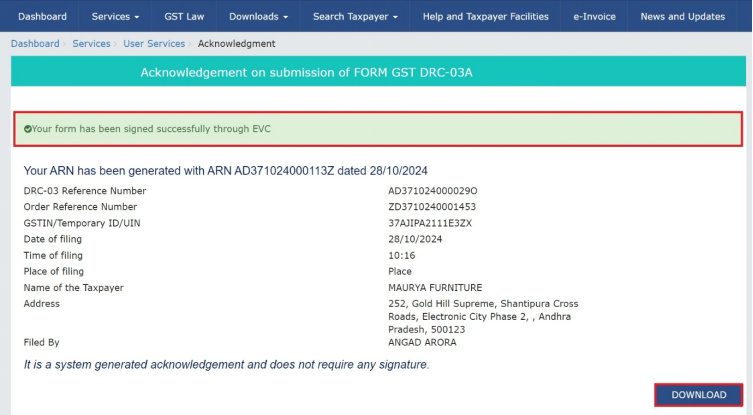
5. After successful filing navigate to Services > User Services > My Applications option.
Select the Adjustment of Payment made through DRC 03 – Form GST DRC 03A from the Application Type drop-down list and select a date range (corresponding to the filing period of the form) from From Date and To Date field and click on SEARCH button.
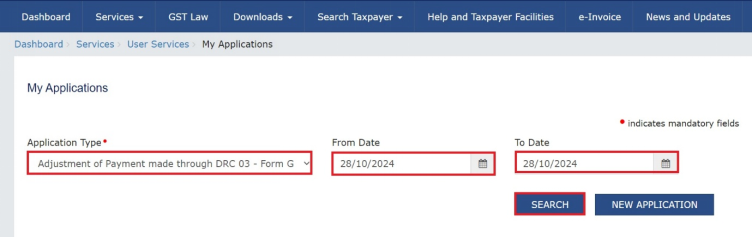
6. A list of ARNs will be displayed on the screen. Click on hyperlink under the ARN /RFN column.
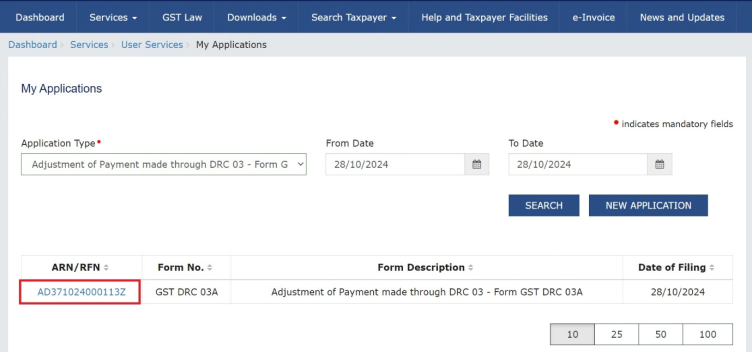
7. Case folder of the ARN will be displayed on the screen. Status of the ARN will be updated to Filed. You can download the PDF of filed form, uploaded supporting documents and acknowledgement by clicking on the respective hyperlinks under DRC-03A and Attachments column.
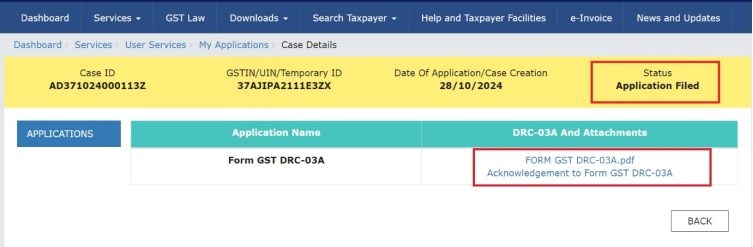
Following PDF of filed form will be displayed on the screen.
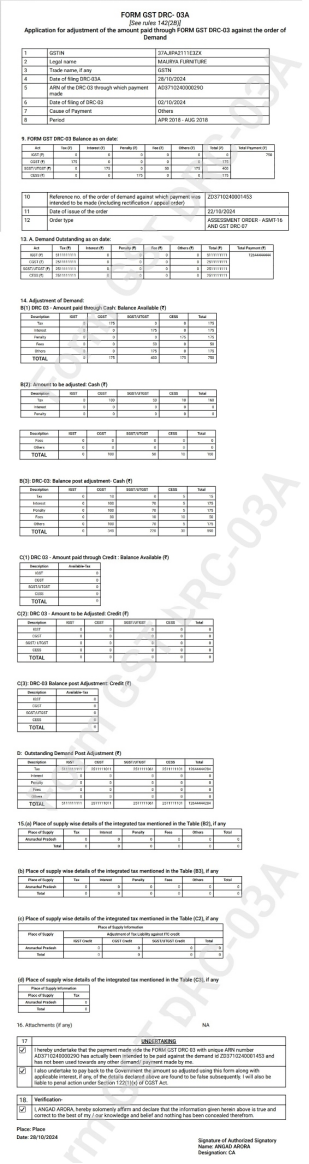
Errors that can be occurred during filing of DRC-03A:
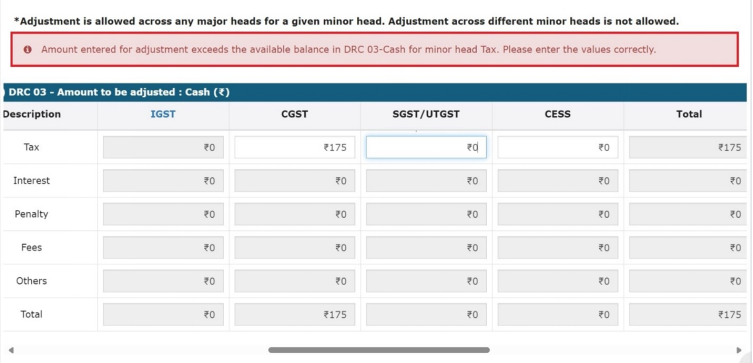
1. If amount entered for adjustment exceeds the available balance in DRC-03 cash for minor head, following error will be displayed on the screen.
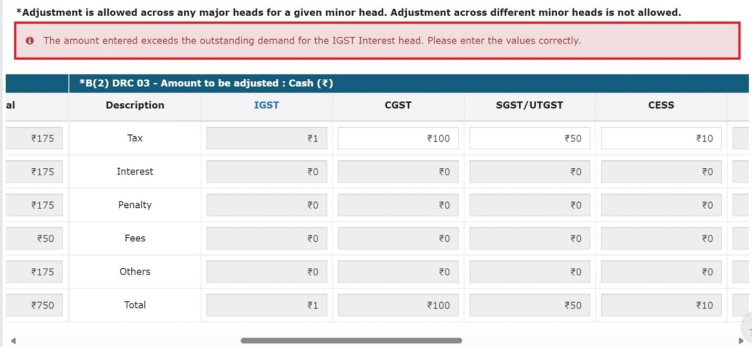
2. If amount entered exceeds the outstanding demand for particular head, following error will be displayed on the screen.
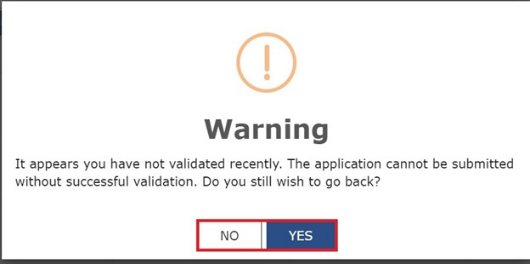
3. If VALIDATE button is not clicked either during first time filling or once validated and again revised, and the user is clicking on BACK button, following message will be displayed on the screen. Click YES button to proceed or click on NO button to cancel.
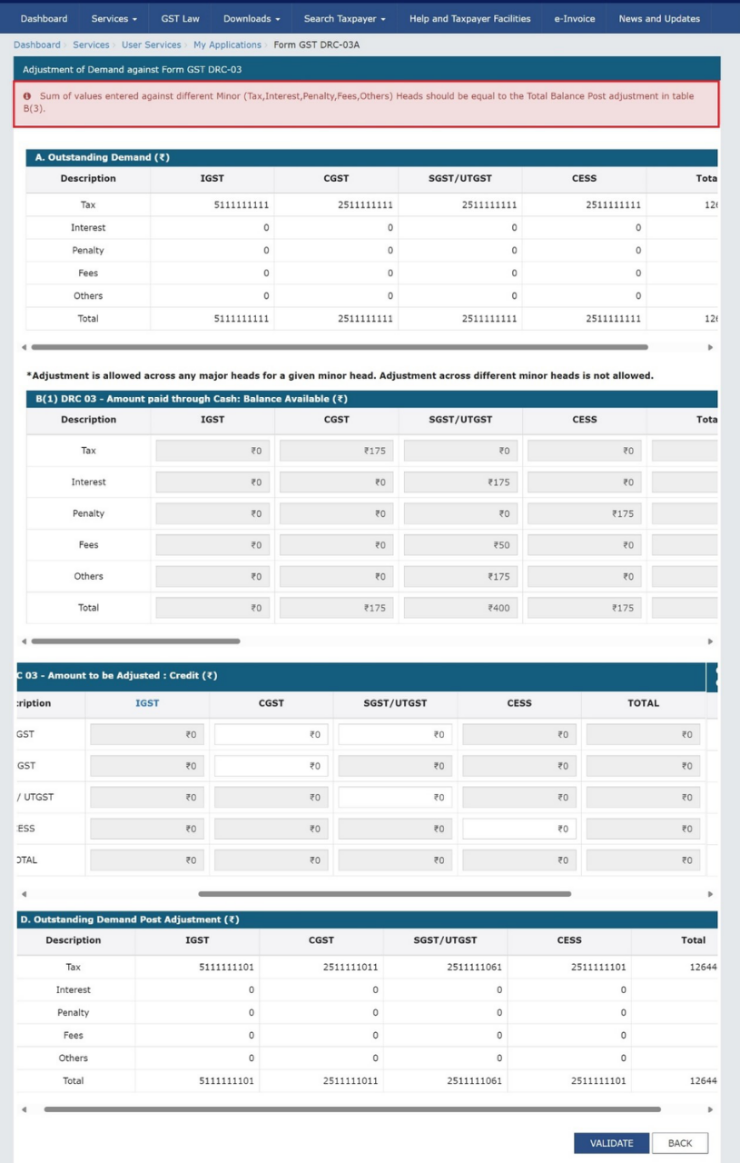
4. If there are any differences between amount in minor heads and amount in Total column in any table OR there is any error in any table, then on clicking of VALIDATE button error message will be displayed on the screen with the name of the table that contains an error.
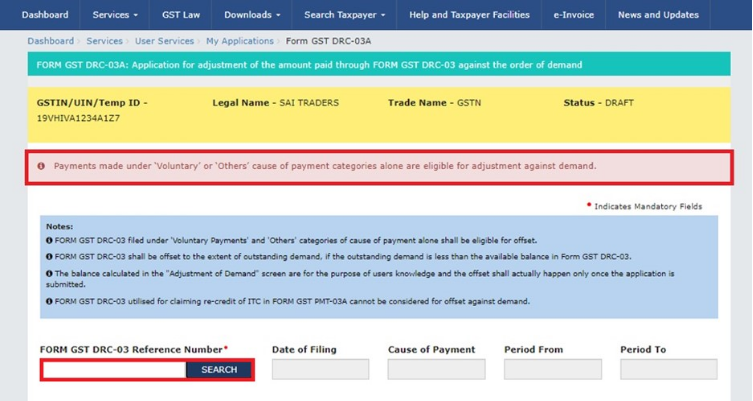
5. If taxpayer enters DRC-03 reference number in Form GST DRC-03 Reference Number field for which payment is made other than Voluntary and Others payment category, following error message will be displayed on the screen on clicking of SEARCH button.
How can I view the remaining balance of DRC-03 after adjustment in DRC-03A ?
Taxpayer can view the remaining balance of DRC-03 after adjustment in DRC-03A by navigating to DRC-03 register option.
To access the DRC-03 register perform following steps:
1. Login to GST portal with valid credentials.
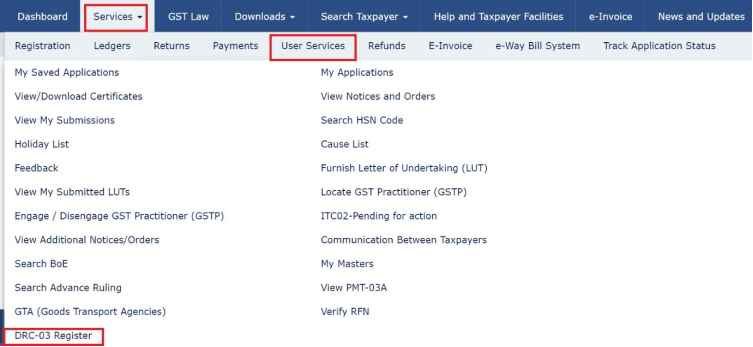
2. Navigate to Services>>User Service>>DRC-03 Register option.
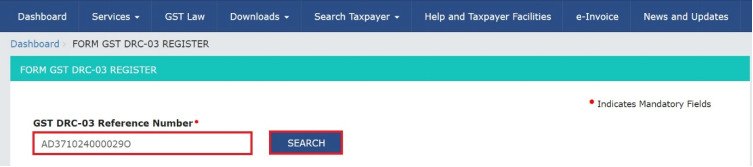
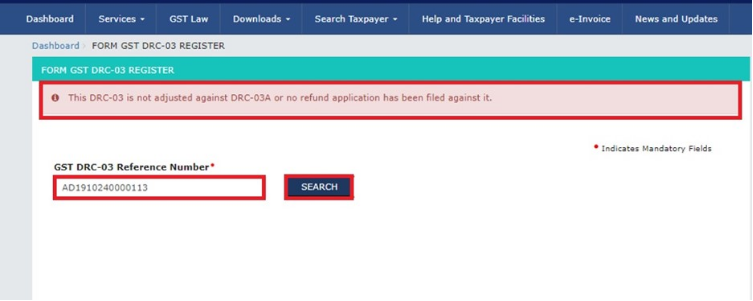
3. Enter GST DRC-03 Reference Number in respective field and click on SEARCH button.
Note: If entered GST DRC-03 Reference Number is not adjusted against DRC-03A or no refund has been filed against it then on clicking of SEARCH button following error message will be displayed on the screen.
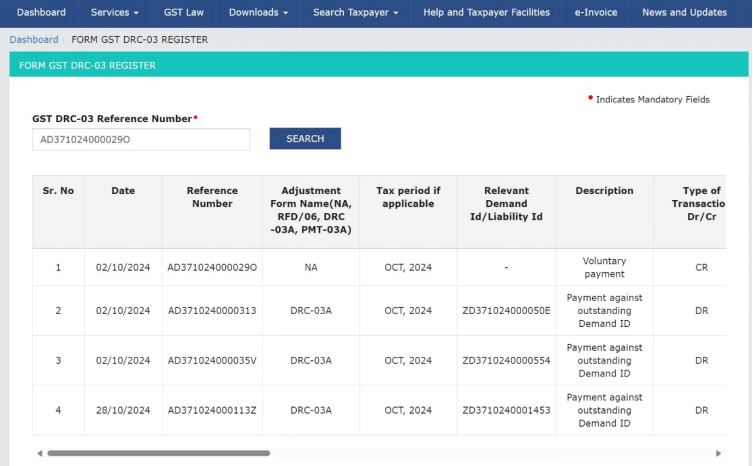
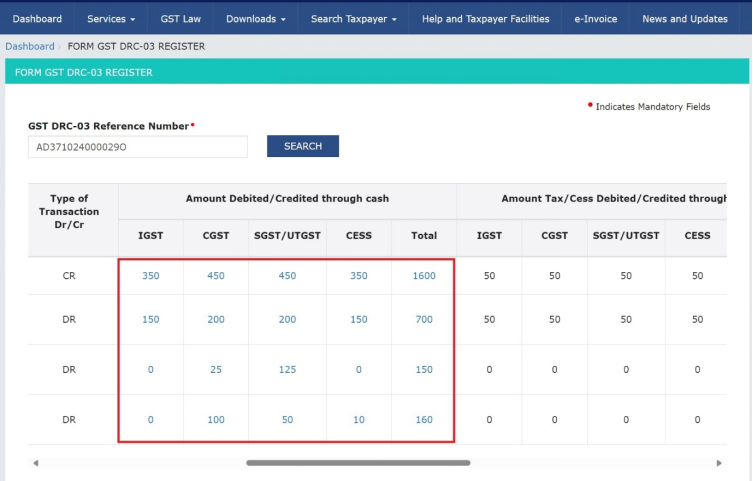
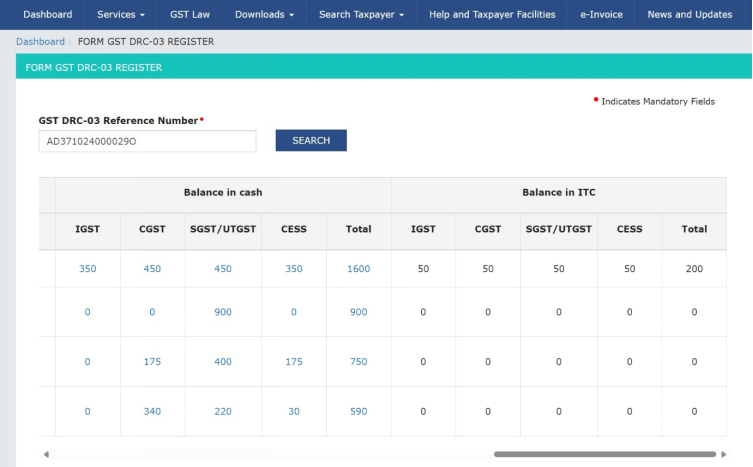
4. Following DRC-03 register will be displayed on the screen. You can click on the count hyperlink to view the break-ups.